Your Network of Trusted Partners
Every brokerage in the Hometown USA network represents a handshake—a commitment to serve military families with integrity. The Brokers Management page is where you oversee these partnerships, from initial contact details to the agents who work under each company’s banner.
When a family in transition needs local expertise, they’re trusting your network to connect them with the right people. This page helps you make sure every partner is properly represented and ready to serve.
The Broker Directory
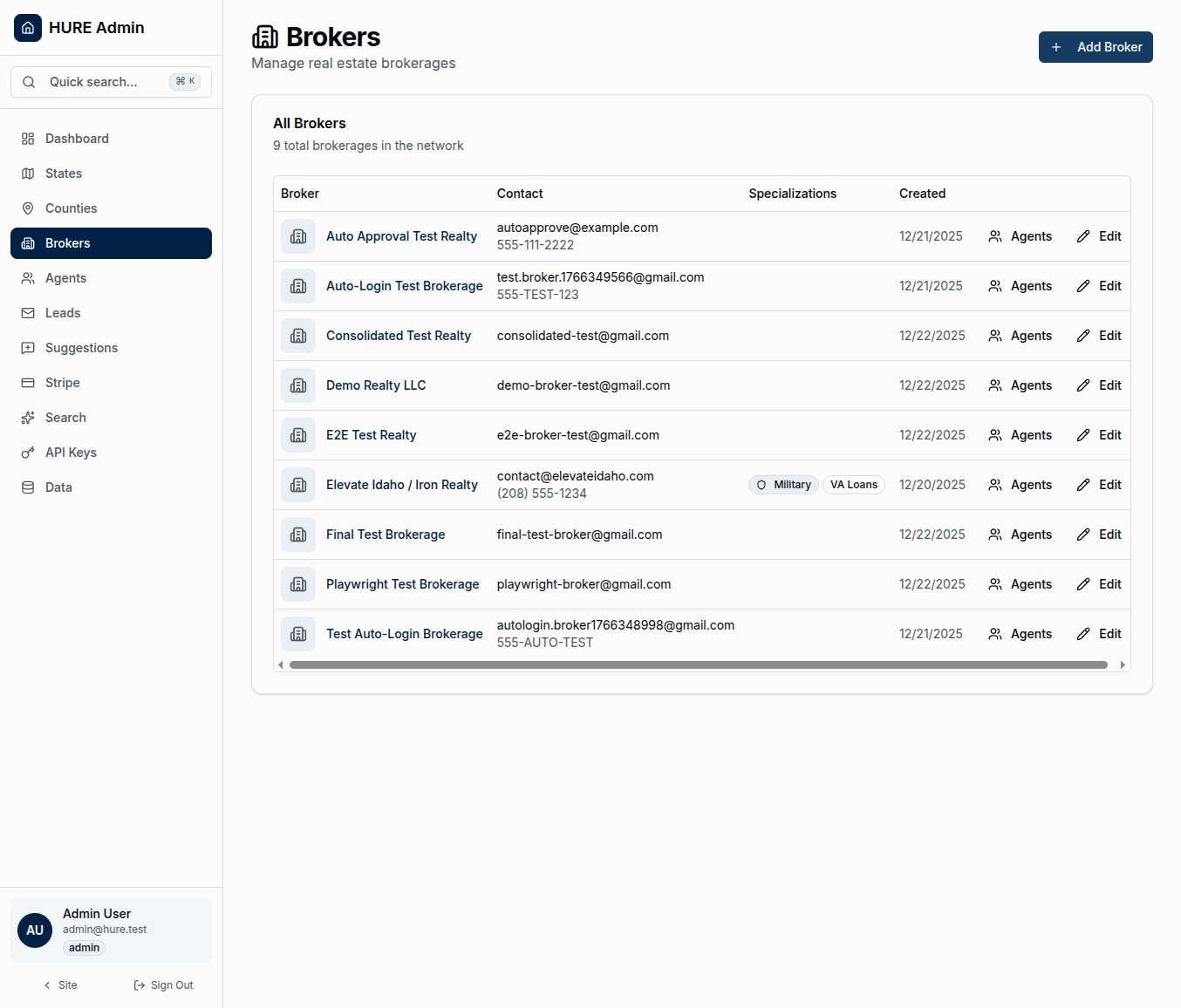
The main view presents every brokerage partnership in a clear, actionable table:
Brokerage Name identifies the company at a glance. Some brokers operate under multiple brands—a franchise relationship, perhaps, or a “doing business as” arrangement. The primary name is what families see.
Contact Information puts email and phone right where you need them. When you need to reach a partner about an urgent lead or a billing question, the information is immediately available.
Specializations tell you what each broker does best. Military relocation expertise. VA loan knowledge. First-time buyer focus. These aren’t just marketing terms—they determine which families get matched with which brokers.
Created Date shows when each partnership began. Watching your network grow over time gives you a sense of momentum. New partners mean new markets served.
One Brokerage, One County
The heart of the Hometown USA model is exclusivity. When a broker commits to a county, they become the sole partner for that area. No competition from other network brokers. No split loyalties. Just one trusted partner serving families in their community.
This means broker management is also territory management. Each brokerage has specific counties under their coverage. When you view a broker’s profile, you see exactly which communities they serve.
What Makes a Strong Partner Profile
Click into any broker to see their complete record:
Company Details include the legal name, franchise affiliation if any, and website. These flow through to public-facing displays when families browse the network.
Logo gives the brokerage visual identity. A professional logo builds trust with families before they ever make contact.
Specializations are toggle switches that define expertise:
- Military Specialist — Deep knowledge of PCS moves, BAH considerations, and military community needs
- VA Loans — Expertise in VA loan programs and requirements
- First Time Buyers — Focus on families purchasing their first home
- Luxury — High-end property expertise
- Commercial — Commercial real estate capabilities
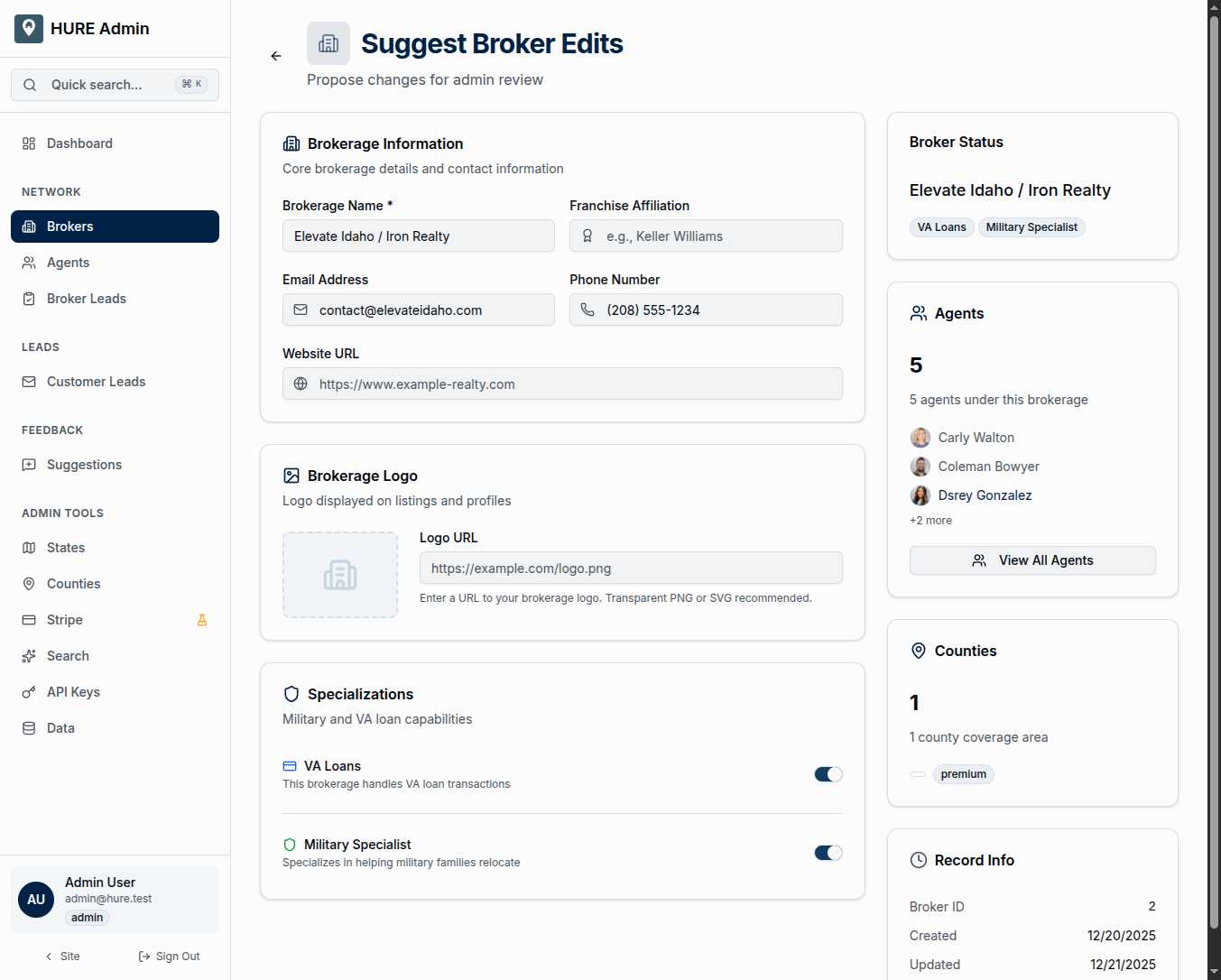
The sidebar provides context: status badges, links to the broker’s agent roster, and quick access to county assignments.
Managing the Team
Brokerages don’t work alone—they have agents. The “Agents” button on each broker row takes you directly to their team roster, filtered to show only agents associated with that brokerage.
This relationship matters for lead routing. When a lead comes in for a county, the system finds the broker covering that county, then presents the agents on that team. The hierarchy ensures families connect with the right people.
From Application to Active Partner
New brokers arrive through the onboarding flow:
- Application — A prospective broker submits their request through
/apply/broker - Email Verification — They confirm their email via magic link
- Profile Completion — They fill out company details and county preferences
- Admin Review — You review and approve (or decline) the partnership
- Account Creation — Approved brokers get Keycloak credentials and portal access
- County Assignment — You finalize which counties they’ll cover
- Agent Onboarding — Brokers can invite their agents to join the team
The “Add Broker” button lets you manually create a partnership when someone joins through a different channel—a referral from an existing partner, perhaps, or a cold outreach that bypassed the application form.
Building a Network That Serves
Every entry in this list represents a relationship. Brokers who’ve committed to the Hometown USA mission. Companies who understand that serving military families requires specialized knowledge and genuine care.
Your job is to keep these partnerships healthy—contact information current, specializations accurate, agent rosters complete. When everything is in order here, families get connected to the right people at the right time.
That’s the promise of the network. This page helps you keep it.