Every County in America, One Dashboard
There are 3,222 counties in the United States. Each one has its own character—its own school districts, housing markets, local employers, and quality of life. Managing data for every single one of them sounds overwhelming, until you have the right tools.
The Counties Management page puts complete geographic coverage at your fingertips. Every county, from the rolling hills of Autauga County, Alabama to the mountain valleys of Weston County, Wyoming, lives in a single searchable database ready for you to browse, edit, and enhance.
The Scope of Coverage
Three statistics tell the story:
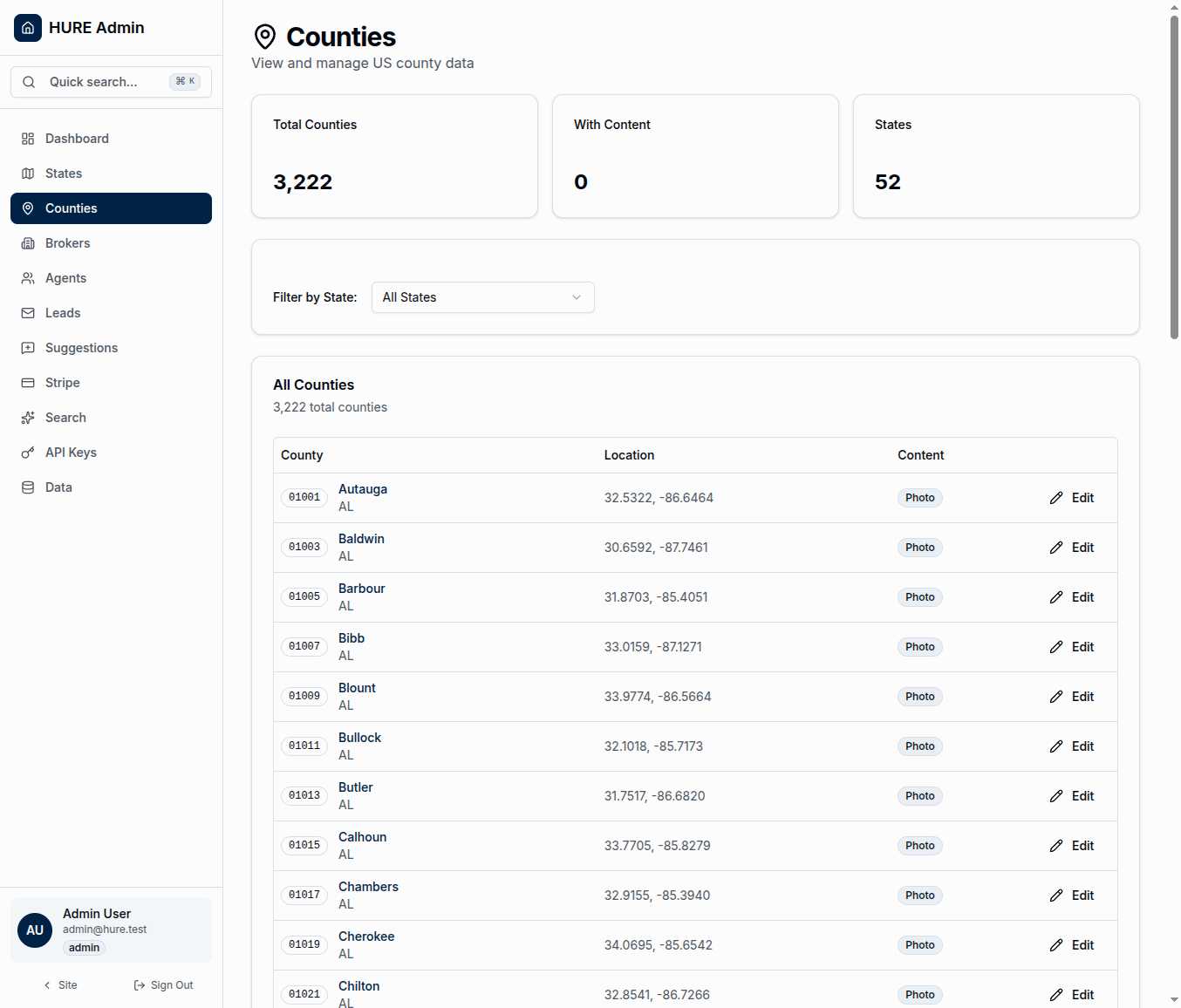
52 States and Territories — All fifty states plus Washington DC and Puerto Rico. Complete coverage of everywhere families might relocate.
3,222 Counties — Every county boundary in the system, each with its own record. Not an estimate, not a subset—the actual number that exists in federal databases.
With Content — The count of counties that have been enriched with photos and descriptions. This number grows as you and your team add local flavor to each location.
What You See for Each County
The county table displays everything you need at a glance:
FIPS Code — The five-digit federal identifier that makes each county unique. Autauga County, Alabama is 01001. Los Angeles County, California is 06037. These codes are the universal language of US geography.
County Name and State — The human-readable identification. When you’re looking for Ada County, Idaho, you don’t want to memorize FIPS codes.
Geographic Coordinates — The latitude and longitude of each county’s center point. These power the interactive map, distance calculations, and “nearby counties” features.
Content Status — A “Photo” badge appears when a county has been enriched with visual content. At a glance, you can see which counties need attention and which are ready to showcase.
Narrowing the View
With 3,222 records, you need ways to focus. The state filter dropdown lets you view just one state’s counties at a time. Managing Texas? Filter to see only its 254 counties. Reviewing coastal counties? Start with Florida’s 67.
The filter updates instantly. Select a state, see only those counties. No page reload, no waiting.
Inside a County Record
Click any county to see its full profile. This is where content comes to life:
Basic Information includes the county name, FIPS code, and a direct link to its location on Google Maps. If you need to verify coordinates or explore the area, you’re one click away.
Area Description is where you paint the picture. What makes this county special? What would a relocating family want to know? This text powers semantic search—when someone searches for “affordable suburbs with good schools,” your descriptions determine what surfaces.
Highlights capture the selling points in brief. Major employers, outdoor recreation, cost of living advantages, school accolades. The bullet points that make families take notice.
County Photo gives each location a face. A landmark downtown, a scenic vista, a community gathering place. These images appear on the public-facing map and county detail pages.
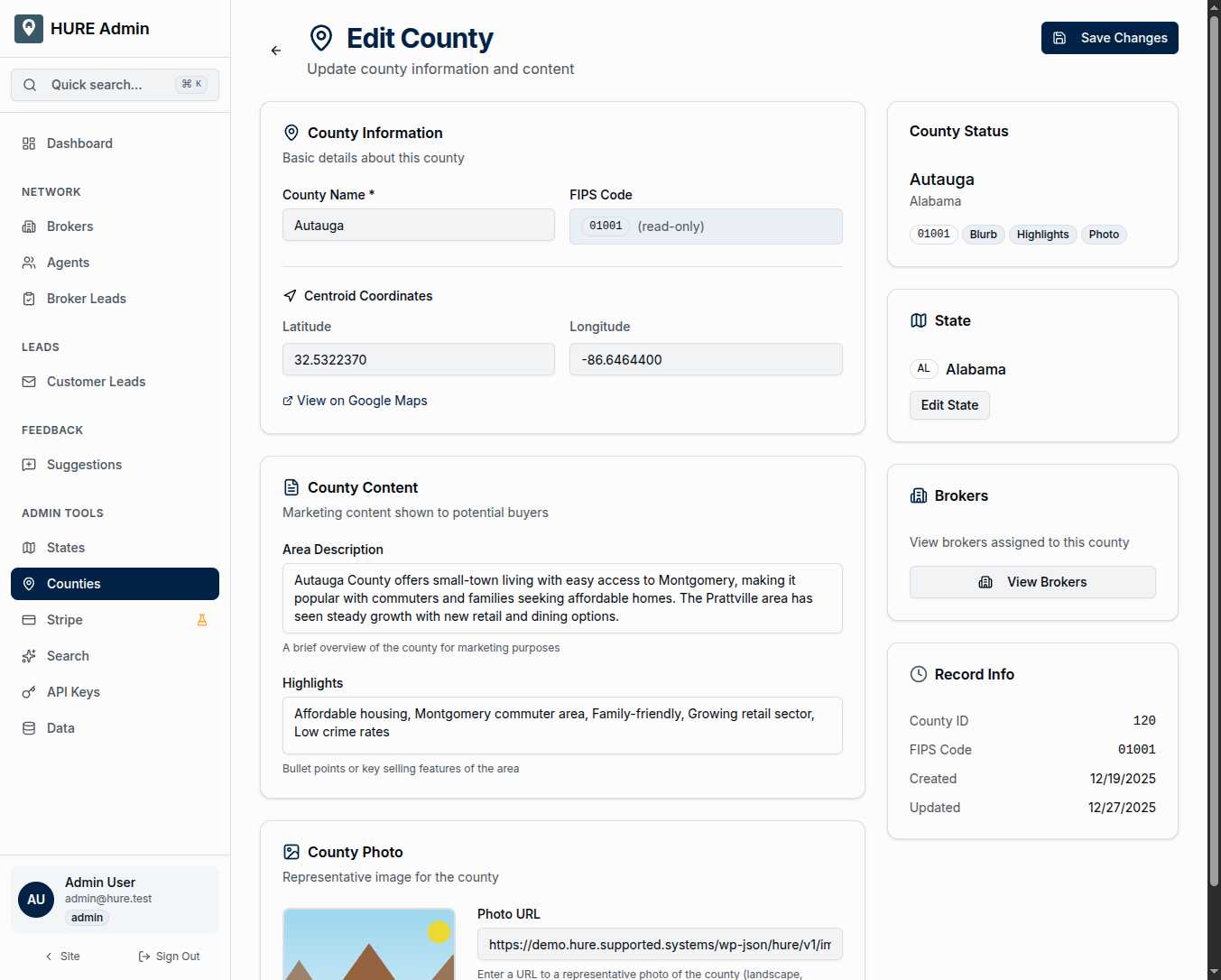
The sidebar keeps context handy: what state this county belongs to, which brokers cover the area, and when the record was last updated.
Why Content Matters
An empty county record is just data—coordinates on a map. A county with rich descriptions, compelling photos, and meaningful highlights becomes a destination.
When a family searches for “quiet rural community near Fort Campbell,” the semantic search system looks at your county descriptions. The counties you’ve enriched with relevant content rise to the top. The empty records stay invisible.
Content creation isn’t busy work. It’s the difference between a database and a discovery tool.
Geographic Foundation
Every county’s coordinates power multiple features:
Map Rendering — The interactive map draws county boundaries from GeoJSON polygons, with centroid coordinates placing labels and icons.
Distance Calculations — “Counties within 50 miles of Fort Hood” requires knowing where each county’s center lies.
Semantic Search — When families describe what they’re looking for, the system matches their words against county descriptions, then shows results on the map.
The geographic data is already complete—all 3,222 centroids are pre-populated and accurate. Your job is adding the human layer: the descriptions, photos, and highlights that transform coordinates into communities.
Scale Without Sacrifice
The page handles 3,222 records without breaking a sweat. Scroll through the entire country, or filter to a single state. Edit one county, save immediately, and return to the list right where you left off.
This is nationwide coverage with local control. Every county in America, every detail editable, every piece of content ready to help the next family find their hometown.