Find Your Hometown, Your Way
Picture this: you’ve just learned you’re relocating. Maybe it’s a job opportunity across the country, or family circumstances calling you somewhere new. The question everyone asks is “where should we move?”—but traditional real estate searches make you answer questions you don’t have answers to yet.
The Interactive County Map flips that experience on its head. Instead of filling out forms about bedrooms and budgets, you can explore naturally. Type what you’re actually thinking: “sunny places with good schools and low cost of living” or “somewhere near mountains but not too far from a major airport.”
The map doesn’t just search keywords—it understands what you mean.
The Whole Country at Your Fingertips
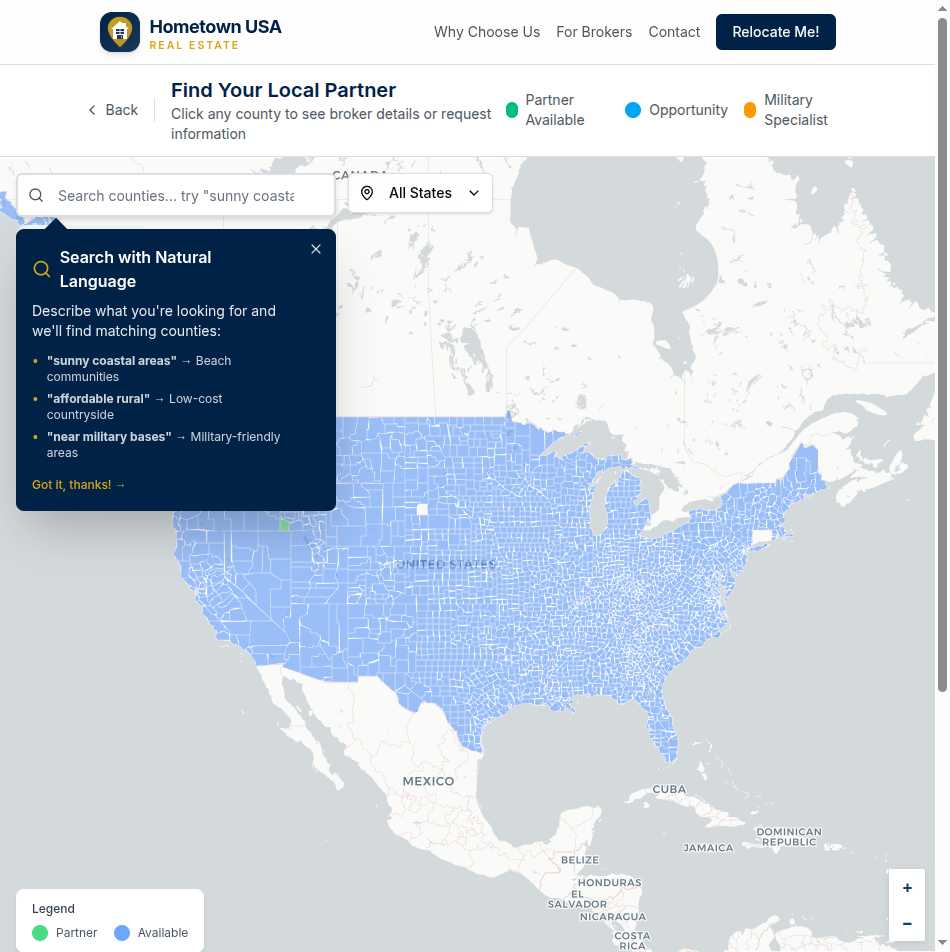
All 3,222 US counties appear on the map, each one a potential destination for your next chapter. Pan from coast to coast. Zoom into regions that interest you. Watch counties light up as you explore, each color telling you something important:
Green markers mean there’s a vetted local partner ready to help. These aren’t random agents—they’re brokerages who’ve earned exclusive territory through demonstrated expertise and commitment to quality service.
Blue markers represent counties that are open for partnership. If you’re heading somewhere blue, you can still submit an inquiry—we’ll work to connect you with nearby partners or accelerate finding a local expert.
Yellow markers highlight brokers with special military relocation experience, perfect for service members navigating PCS moves.
Smart Search That Gets You
Here’s where things get interesting. The search bar at the top of the map isn’t just for typing county names (though it handles those too). It’s powered by semantic understanding that interprets natural language queries.
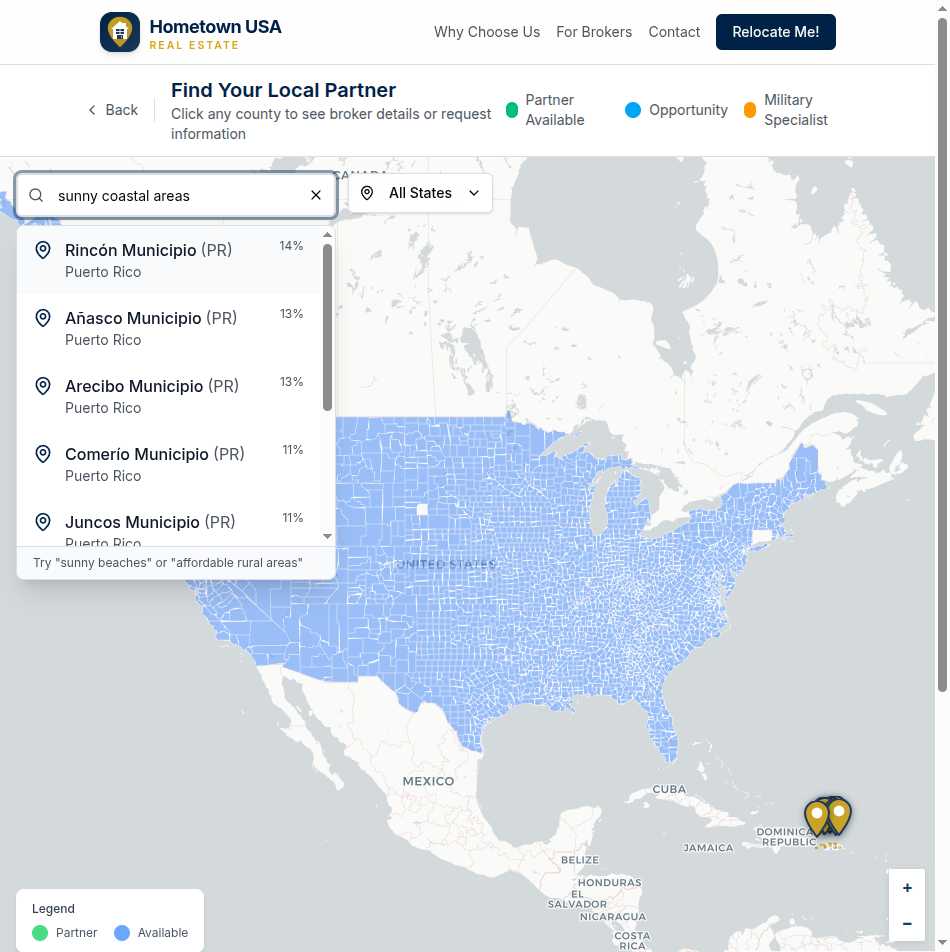
Try searches like:
- “Warm coastal areas with no state income tax”
- “Affordable midwest communities with good healthcare”
- “Mountain towns within an hour of an airport”
Results appear ranked by relevance, showing you a match percentage so you know how well each county fits your criteria. It’s like having a knowledgeable friend who’s actually visited all 3,222 counties.
Click to Connect
Found a county that interests you? Click it to open a detailed popup:
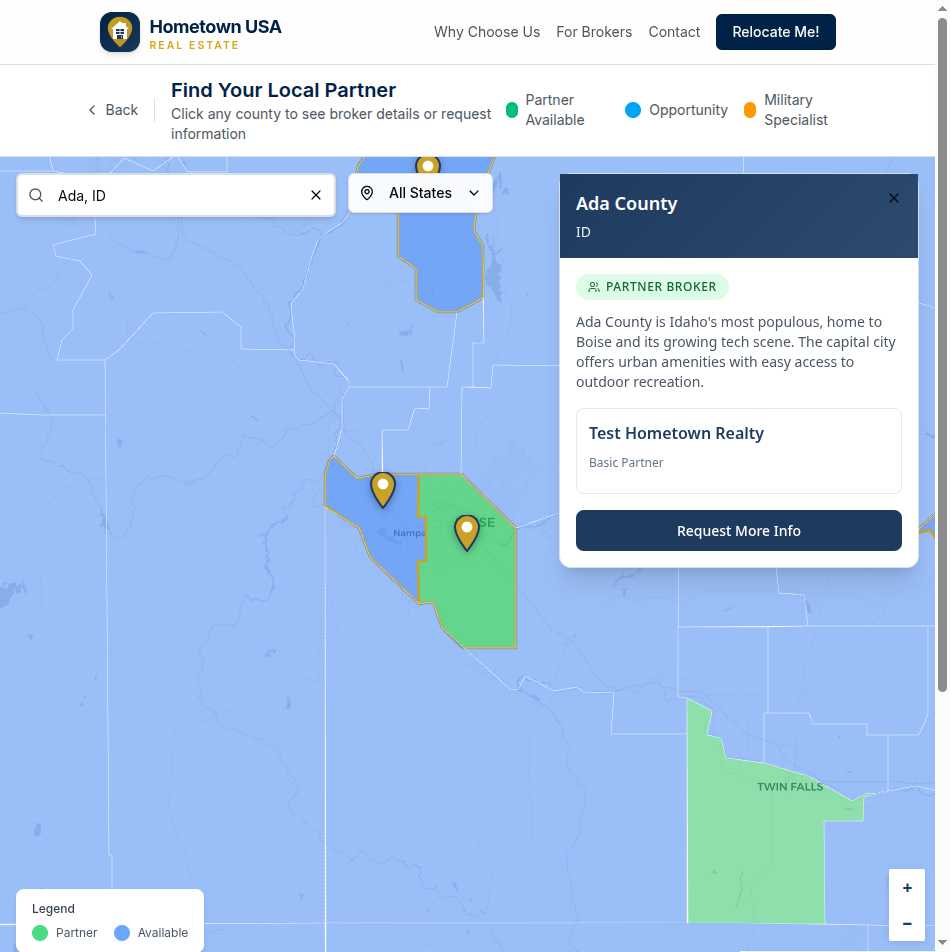
For counties with partners, you’ll see:
- The county name and state, clearly identified
- A “Partner Broker” badge showing coverage status
- A description of the area—what makes this county special
- The brokerage name and their service tier
- A prominent “Request More Info” button
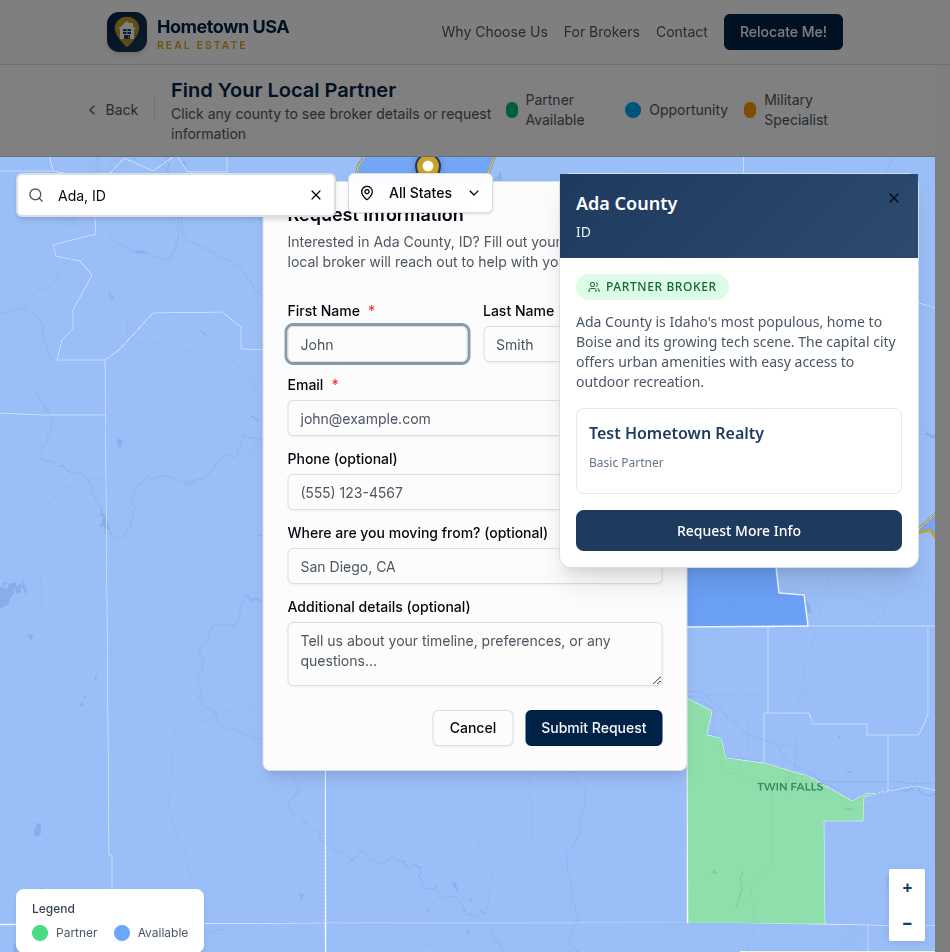
Click that button, and a simple form appears. Share your name, email, and a bit about your timeline. That’s it. No account creation, no credit cards, no pressure. Just a direct line to someone who knows the area.
For available counties (without partners yet), you’ll see:
- County information and description
- An “Available” badge indicating the territory is open
- An invitation to check back or contact us about your specific needs
Filter by State
Sometimes you know your destination state but not which county. The state dropdown filter lets you focus the map instantly. Select “Idaho” and see all 44 Idaho counties highlighted. Combine with search for precision: filter to Texas, then search “rural areas with good internet” to find counties matching both criteria.
Your Journey, Your Pace
Some people arrive at the map knowing exactly where they’re headed—they just need the local connection. Others arrive with questions, hoping to discover places they’ve never considered.
The map serves both:
If you know your destination: Search for the county name directly, click to see the local partner, and connect immediately.
If you’re exploring options: Browse by region, use natural language searches to surface possibilities, and take your time discovering communities that fit your family’s needs.
There’s no rush. No one’s tracking you. The map is here whenever you’re ready to explore.
From Curiosity to Connection
The path from “where should we move?” to “I just found our local expert” can happen in a single session:
- Search using natural language or browse the map
- Discover counties that match your lifestyle
- Click to learn about the area and its partner
- Connect by submitting a simple inquiry
- Relax knowing a vetted local professional will follow up
Your next hometown is out there. This map helps you find it.