Join Your Brokerage’s Network
Your broker has built something great with Hometown USA Real Estate—exclusive county territories, qualified leads from relocating families, and a reputation built on local expertise. Now you can be part of it.
The agent application is your pathway to joining your brokerage’s presence on our platform. Once connected, you’ll have access to your team’s tools, visibility into incoming leads, and the resources to help families find their new hometown.
How Agent Applications Work
Unlike broker applications (which claim county territories), agent applications connect you to an existing brokerage. This means:
No territory selection required. Your broker has already claimed the counties. You’re joining their team, not creating a separate presence.
No subscription fees. The brokerage subscription covers the team. Your participation costs nothing extra.
Verification through your broker. When you apply, your broker receives a notification to confirm your affiliation. This protects everyone—brokerages control who represents them, and agents get verified access to legitimate teams.
The Application Process
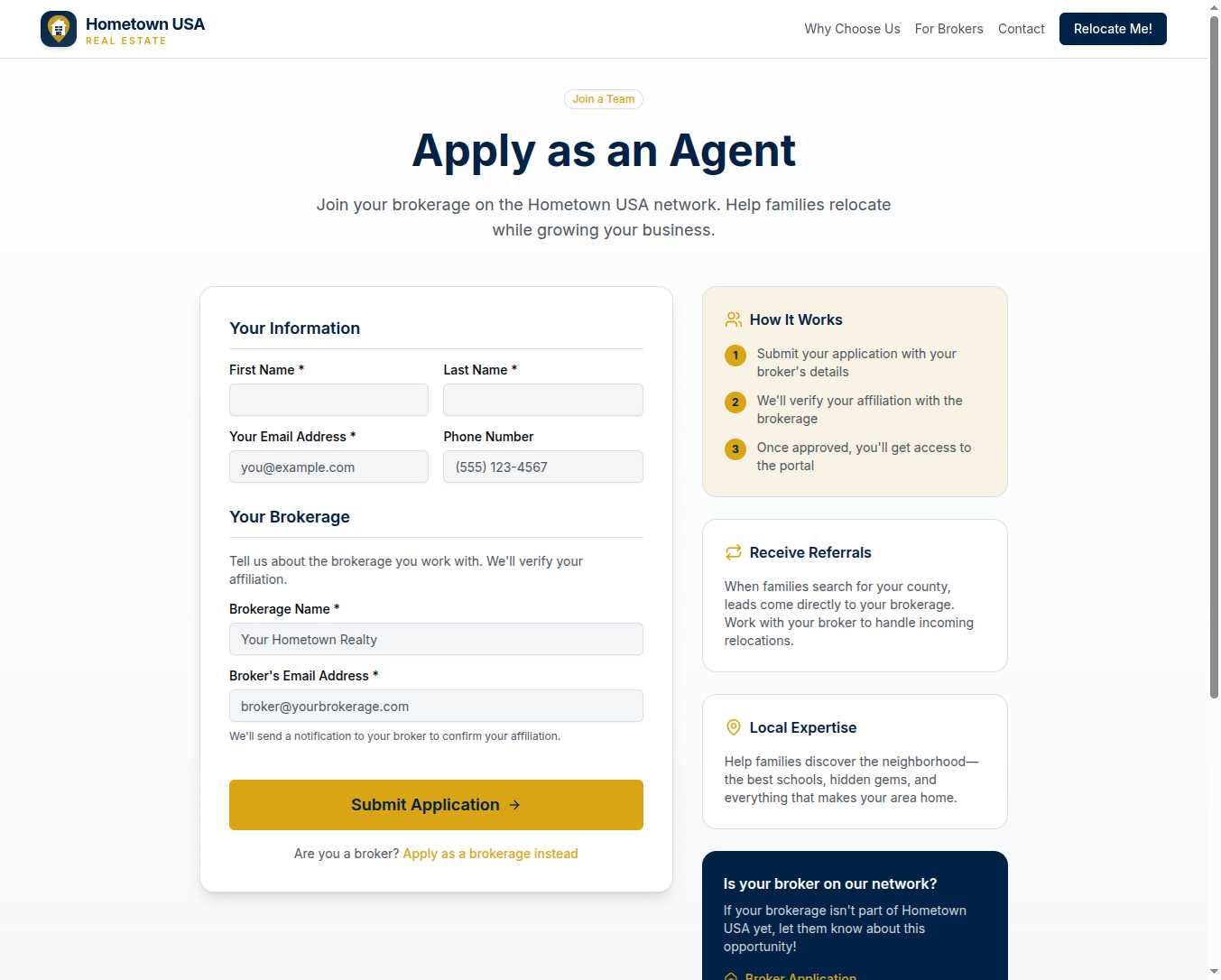
Step 1: Your Information
Provide your name, email, and phone number. This is how we’ll contact you and how you’ll access the platform once approved.
Step 2: Your Brokerage
Enter your brokerage’s name and your broker’s email address. We use this to verify you’re genuinely affiliated with the team you’re claiming to join.
Step 3: Submit and Wait for Confirmation
Once you submit, your broker receives a notification. They review your application and confirm (or deny) your affiliation. If confirmed, you receive a magic link to complete your profile setup.
It’s that simple. No lengthy questionnaires, no credit cards, no hoops to jump through.
What Your Broker Sees
When you submit an agent application, your broker receives an email or notification with your details:
- Your name and contact information
- A request to confirm your affiliation
- Options to approve or deny the application
This gives brokers control over who joins their team on the platform. Random people can’t claim affiliation with brokerages they don’t work with.
After Approval
Once your broker confirms your application and you complete your profile:
You’re visible on the team. Your name appears as part of the brokerage’s agent roster.
You can access leads. Depending on how your broker has configured permissions, you may see incoming referrals and customer inquiries.
You’re part of the conversation. Team communication tools keep everyone aligned on who’s handling what.
Your specific access level depends on your broker’s preferences. Some brokerages give agents full visibility into all leads; others route specific inquiries to specific team members. That configuration happens on the brokerage side.
What If Your Broker Isn’t on the Network?
Here’s something that happens more often than you’d think: an agent finds out about Hometown USA Real Estate before their broker does.
If your brokerage isn’t already part of our network, you can’t join as an agent—there’s no team to connect you to. But you can help change that.
At the bottom of the application page, there’s a callout: “Is your broker not on our network yet?” with a link to the broker application. Share that link with your managing broker. Explain the opportunity. Many brokerages join after agents bring the idea to their attention.
Once your broker is approved, you can submit your agent application and join the team.
Why This Matters
Real estate is a team sport. Brokerages that leverage their entire team’s local expertise serve families better than individual agents working in isolation. The agent application ensures that your brokerage can scale its presence—adding agents who contribute to the collective knowledge that makes local expertise valuable.
Families relocating to your county deserve the best guidance available. That often means a brokerage with multiple agents who each know different neighborhoods, different price points, different community niches. When you join your brokerage on our network, you’re strengthening that collective offering.
Ready to Join?
The application takes about two minutes. Enter your information, provide your broker’s email, and submit. Your broker will receive a notification, and once they confirm your affiliation, you’re in.
Your team is waiting. Your expertise is valuable. Let’s get you connected.