Claim Your Territory
You’ve built your reputation in your community. You know the neighborhoods, the school districts, the hidden gems that only locals discover. Now imagine having families relocating to your area directed straight to you—no competing agents, no bidding for leads, just a steady stream of qualified referrals from people who specifically need your local expertise.
That’s what joining the Hometown USA Real Estate network means. And it starts with this application.
What We’re Looking For
This isn’t a directory where anyone can pay to be listed. We’re building a curated network of quality brokerages—one per county—who will represent the best of what local real estate professionals offer.
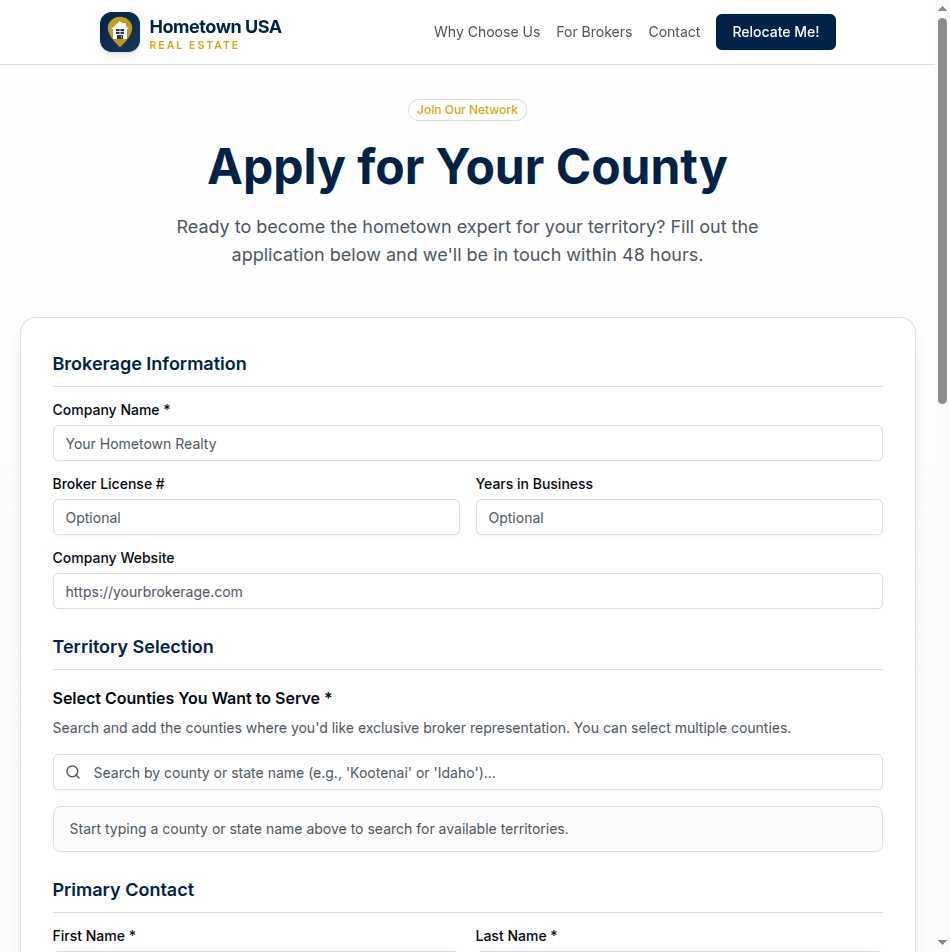
When you apply, we want to understand your business: how long you’ve been operating, what territories you serve, and why you’re the right fit for families relocating to your area. The application collects the essentials without drowning you in paperwork.
The Application Process
Step 1: Tell Us About Your Brokerage
Share your company name, license number, years in business, and website. This helps us verify your credentials and understand your experience level.
Step 2: Choose Your Counties
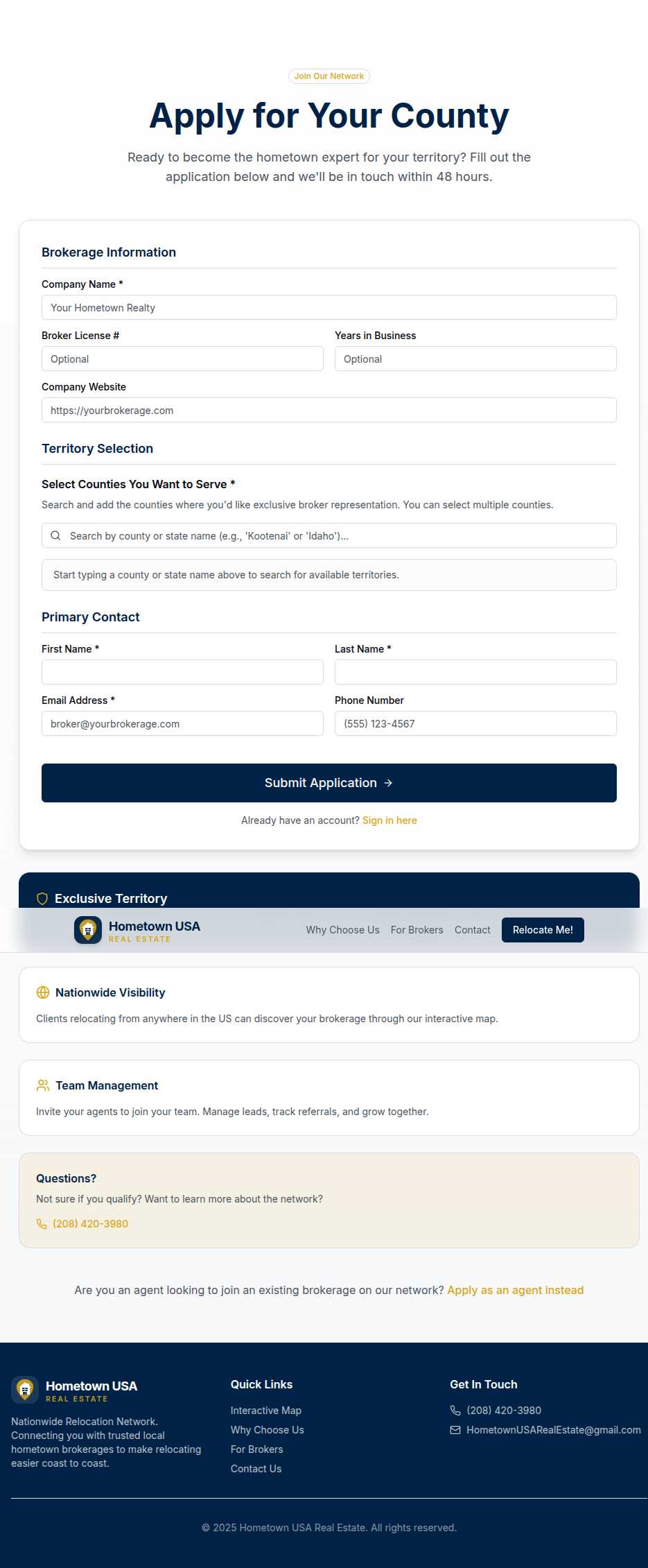
This is where it gets exciting. Use the search interface to find counties in your area of expertise. Type a county name or state, and matching options appear. Select as many counties as you’d like to cover—each one you claim becomes your exclusive territory.
The system shows you which counties are available and which have already been claimed. There’s no guessing whether you’re applying for territory that’s already taken.
Step 3: Provide Contact Details
Enter your primary contact information. The email you provide will receive a verification link—this ensures we’re communicating with the right person and starts the secure account creation process.
Step 4: Submit and Verify
Once you submit, you’ll receive an email with a magic link. Click it to verify your email address and confirm your application is active. No passwords to remember at this stage—just a secure link that proves you control the email you provided.
What Happens After You Apply
Your application lands in our review queue. We look at your credentials, your chosen territories, and your business background. This isn’t instant approval—we take the responsibility of recommending brokerages to relocating families seriously.
If approved, you’ll receive an email with a link to complete your subscription setup through secure payment processing. Once payment clears, your counties go live on the map, and families searching for relocation help in your area will find you.
If we have questions or need additional information, we’ll reach out. And if your application isn’t approved, we’ll let you know why—because transparency matters.
The Value Proposition
The sidebar of the application page reminds you what you’re joining:
Exclusive Territory — One brokerage per county means when clients search your area, they find you—not a list of competing agents.
Nationwide Visibility — Families relocating from anywhere in the country can discover your brokerage through our interactive map. You’re not just reaching local traffic; you’re accessible to anyone planning a move.
Team Management — Once approved, you can invite agents to join your team. Manage leads, track referrals, and grow your practice together.
Questions Before You Apply?
Not sure if this is right for you? Have questions about pricing, territories, or the approval process? There’s a direct phone line on the application page for pre-application inquiries. We’d rather answer your questions upfront than have you discover dealbreakers after you’ve invested time in the process.
Ready When You Are
The application is straightforward, the process is transparent, and the opportunity is real. If you’re ready to claim your territory and start receiving qualified referrals from families who specifically need local expertise, the application is waiting.
Your community needs a hometown expert. Let it be you.