Your Application is in Good Hands
You’ve submitted your application and verified your email. Now comes the part that most applications handle poorly: the waiting. Instead of leaving you in the dark, we give you a clear view of exactly where your application stands and what happens next.
The Application Pending page is your window into the review process—no guessing, no uncertainty, just transparency.
What You’ll See
When you land on this page after clicking your verification link, you’ll find:
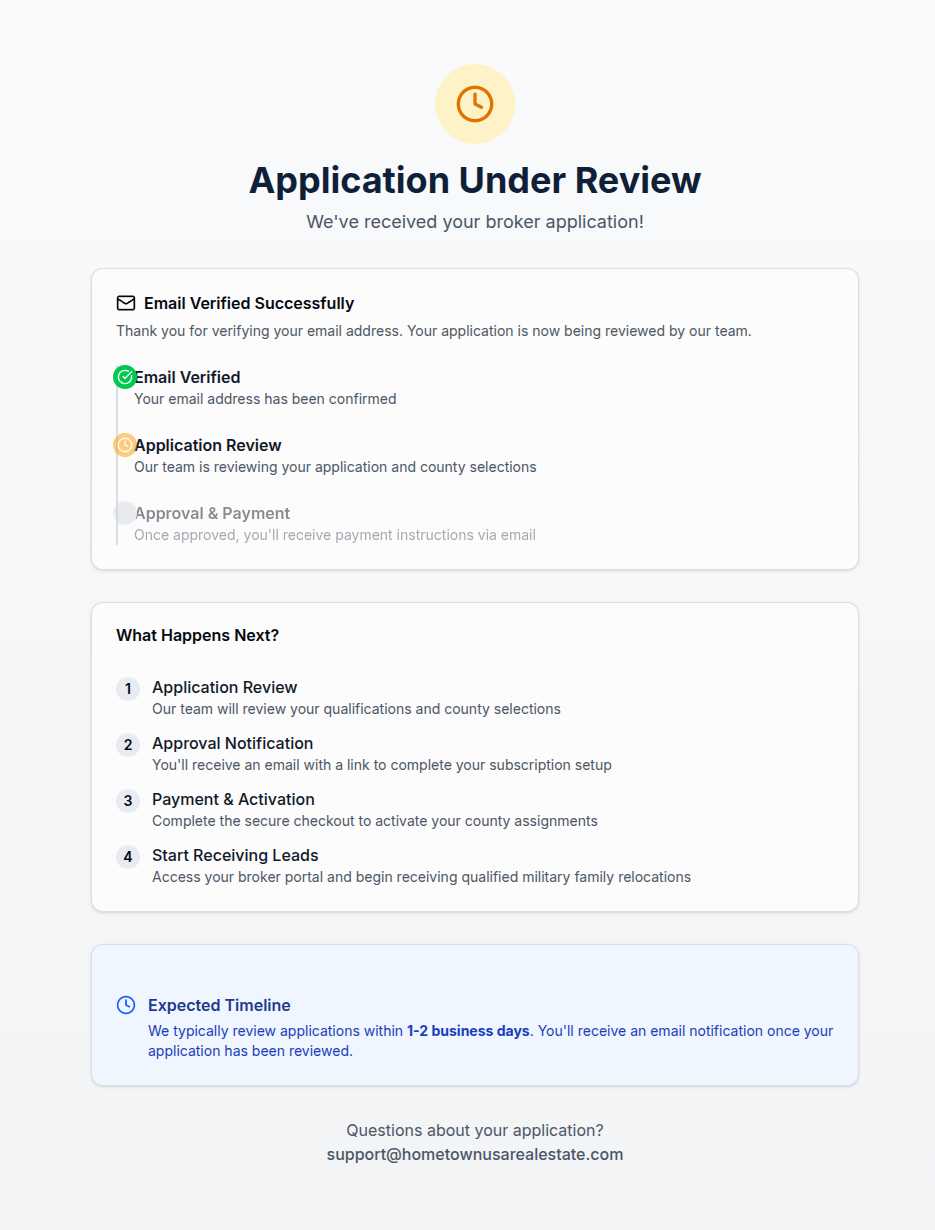
A confirmation that your email is verified. This tells you the technical part worked—we have your application, we know it’s really you, and the review process is underway.
A visual progress timeline showing three stages:
- ✓ Email Verified — Complete. You’ve confirmed your identity.
- ⏳ Application Review — In progress. Our team is evaluating your credentials and county selections.
- ○ Approval & Payment — Pending. Once approved, you’ll receive payment instructions.
This isn’t a mystery process hidden behind corporate walls. You can see exactly where you are.
What Happens During Review
When we say “Application Review,” we mean actual humans looking at actual information:
Credential verification. We check that you’re a licensed brokerage operating in good standing.
Territory evaluation. We confirm the counties you’ve requested are available and that your area of expertise aligns with your selections.
Business assessment. We look at your experience, your online presence, and any other factors that help us understand whether you’ll provide excellent service to relocating families.
This takes 1-2 business days in most cases. Not weeks of silence—just enough time for thorough review.
The Timeline Ahead
After your application moves past review, one of two things happens:
If approved, you’ll receive an email with a secure link to complete your subscription. This leads to a payment page where you select your subscription tier and provide payment details. Once that’s complete, your account activates immediately—your counties go live on the map, and you’re officially part of the network.
If we need more information, we’ll email you with specific questions. Maybe we want to verify something about your license, or perhaps we have questions about your county selections. We’re not trying to create hoops—just ensuring we have what we need to move forward confidently.
If not approved, we’ll tell you why. Rejection is rare, but when it happens, we believe you deserve an explanation. This isn’t a black-box process where you’re left wondering what went wrong.
No News Isn’t Bad News
During the 1-2 day review window, silence means progress. We’re not sitting on your application—we’re actively working through the review queue in order. If there’s a delay beyond the expected timeline, something unusual is happening, and we’ll reach out.
You can always check this page to see your current status. Bookmark it, or save the email with the link. The page updates in real time as your application progresses.
Support If You Need It
Have questions while you wait? Want to provide additional information that might help your application? The page includes a direct support email where you can reach out. We’re responsive and happy to help—because your experience during onboarding reflects the kind of partnership we’re building.
The Wait is Worth It
Nobody loves waiting. But what you’re waiting for is access to exclusive county territories, qualified referrals from relocating families, and membership in a network that prioritizes quality over quantity.
Your application is being reviewed by people who take this seriously. That review process is what ensures the network you’re joining is worth being part of.
Hang tight. Good things are coming.